UDL case study {{ c.num }} {{ c.label }}
← Selected work
Featured case study 2 live experiences · 3 design assets

Designing Inclusive Learning Experiences

Universal Design for Learning (UDL)

Two interactive learning experiences and a set of design deliverables that help early-career higher-education instructors turn UDL from a principle they believe in into decisions they can make in a real lesson.

Draft · Links pending: Storyline course URL, We Are Learning module URL

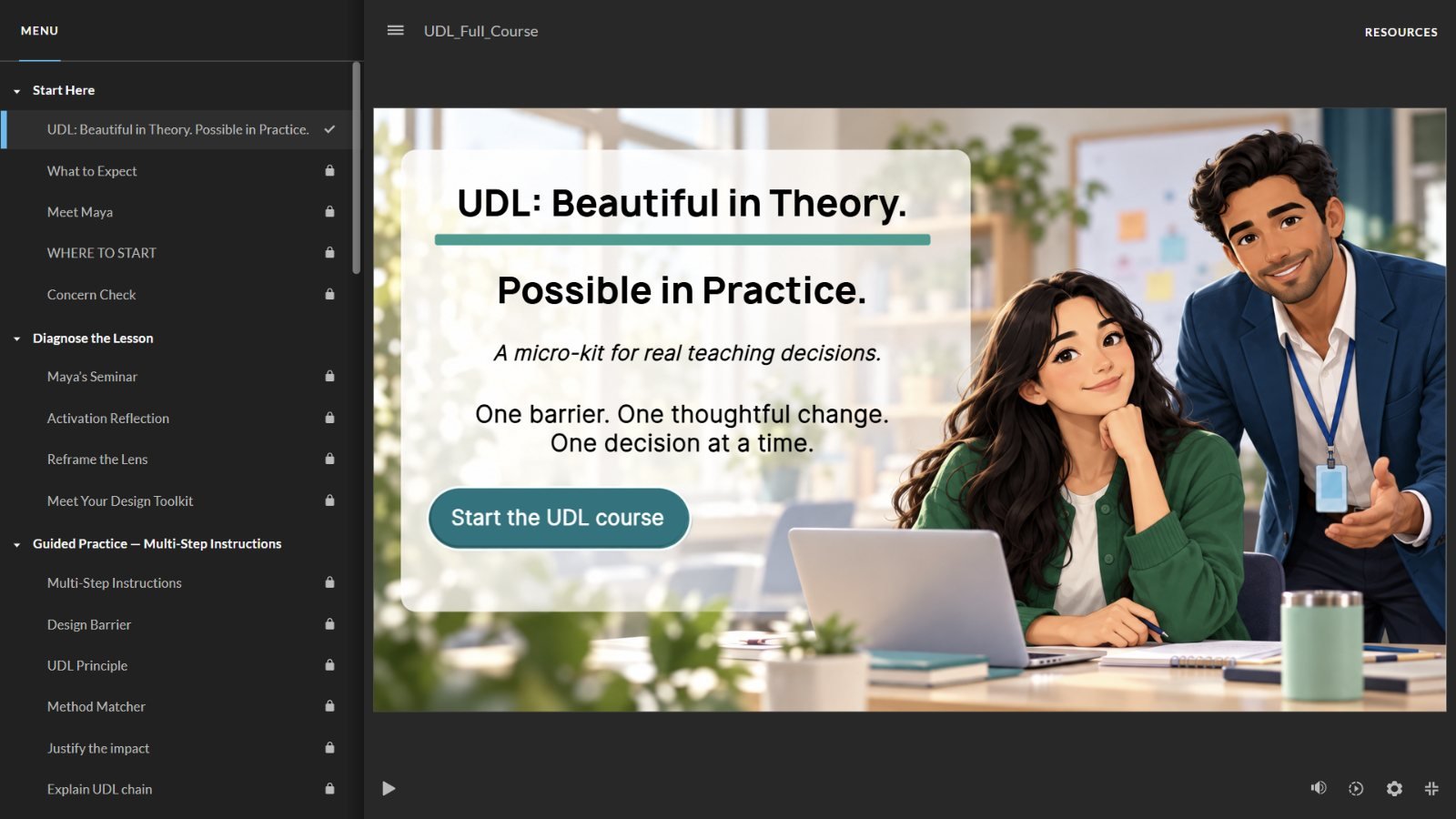
Storyline course player showing the title screen, UDL: Beautiful in Theory. Possible in Practice., with the course menu
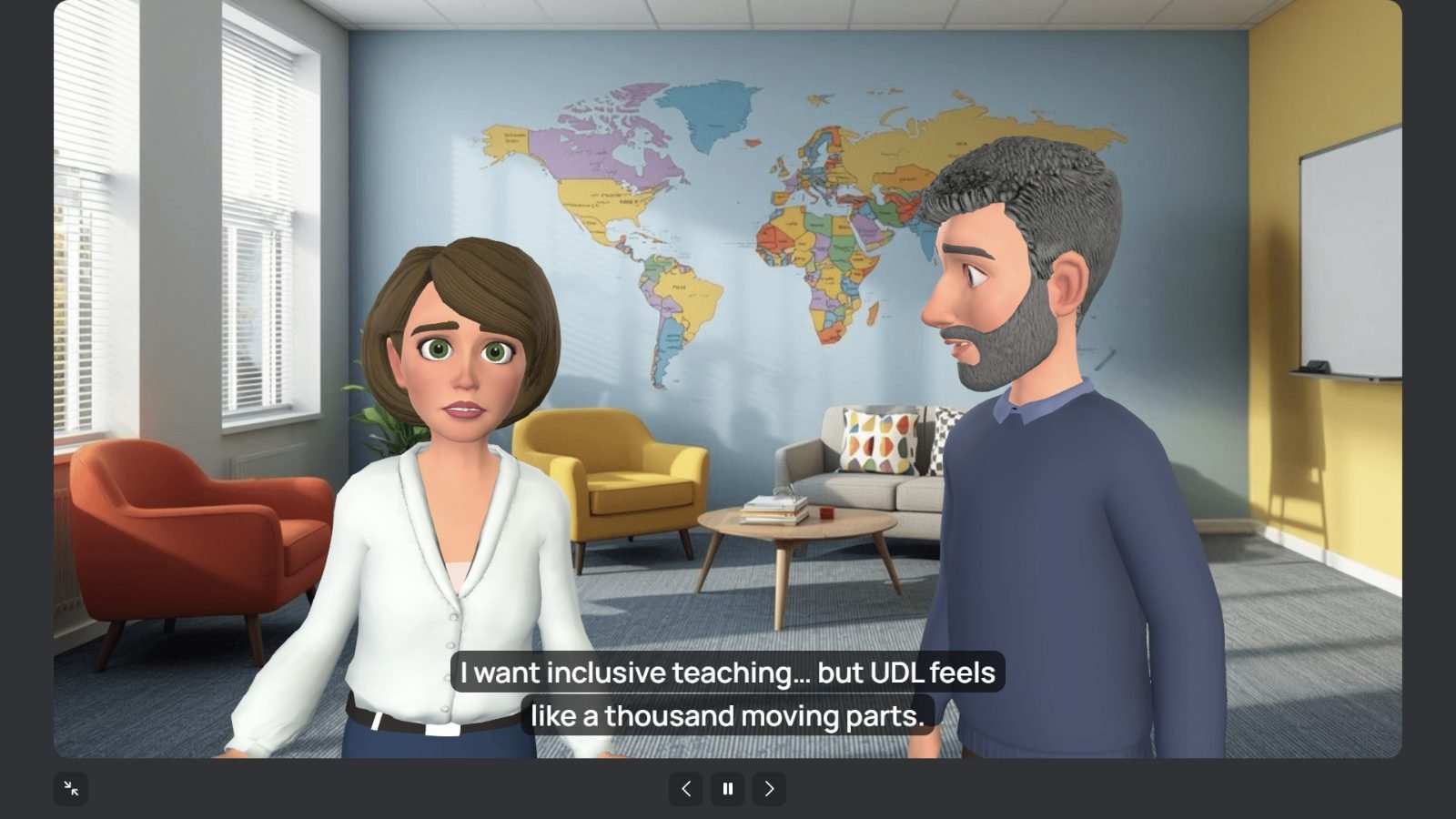
We Are Learning module: two avatar instructors in conversation
Audience
Early-career higher-education instructors
My role
Instructional Designer / LXD. Independent design and development
Tools
Articulate Storyline 360 · We Are Learning · [document tools]
Format
Two self-paced experiences, 45–60 min each · 90-min ILT workshop
Design frame
UDL · Merrill's First Principles · Pebble-in-the-Pond

Work samples in this case study

  1. {{ s.num }}{{ s.kind }} {{ s.title }}

01 · Project overview

A practical way into inclusive design

The project explores how UDL can become a practical method for everyday instructional decisions. Instead of treating UDL as a long checklist or a reason to redesign a whole course, the learning experiences help instructors notice a barrier in a teaching situation, choose a focused response, and explain how that change supports learner variability while keeping the learning goal intact.

Context: graduate instructional design coursework at Bahçeşehir University (BAU) and IDOL Academy certification.

What I did

  1. {{ r.num }}{{ r.text }}

02 · The challenge

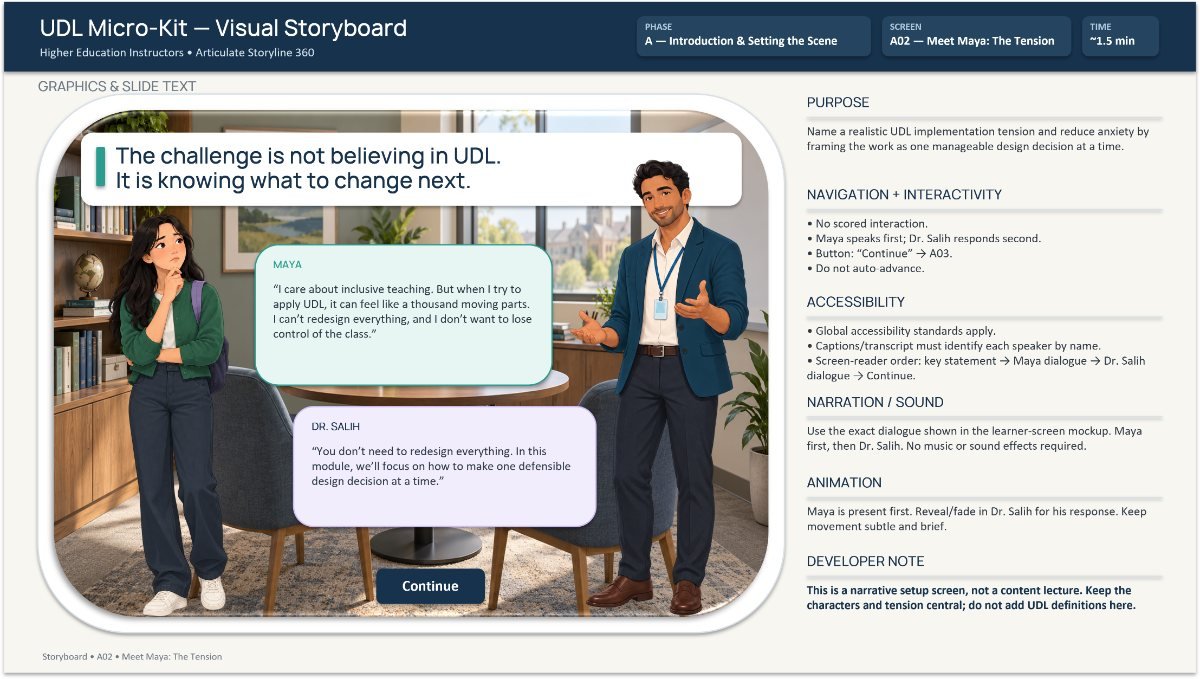
“The challenge is not believing in UDL. It is knowing what to change next.”

From the course’s opening scene · Storyboard A02

The audience may already use active learning, discussion, and digital tools. The gap is between knowing about inclusive teaching and deciding what to change in a real lesson. Common worries make that gap wider:

  • UDL means using every guideline
  • …offering many options at once
  • …giving up classroom control
  • …redesigning the whole curriculum
FromChoosing generic strategies, or attributing difficulty to the learners
ToReading evidence, naming a barrier in the design, choosing the strongest UDL lens and a realistic response, and explaining its expected impact
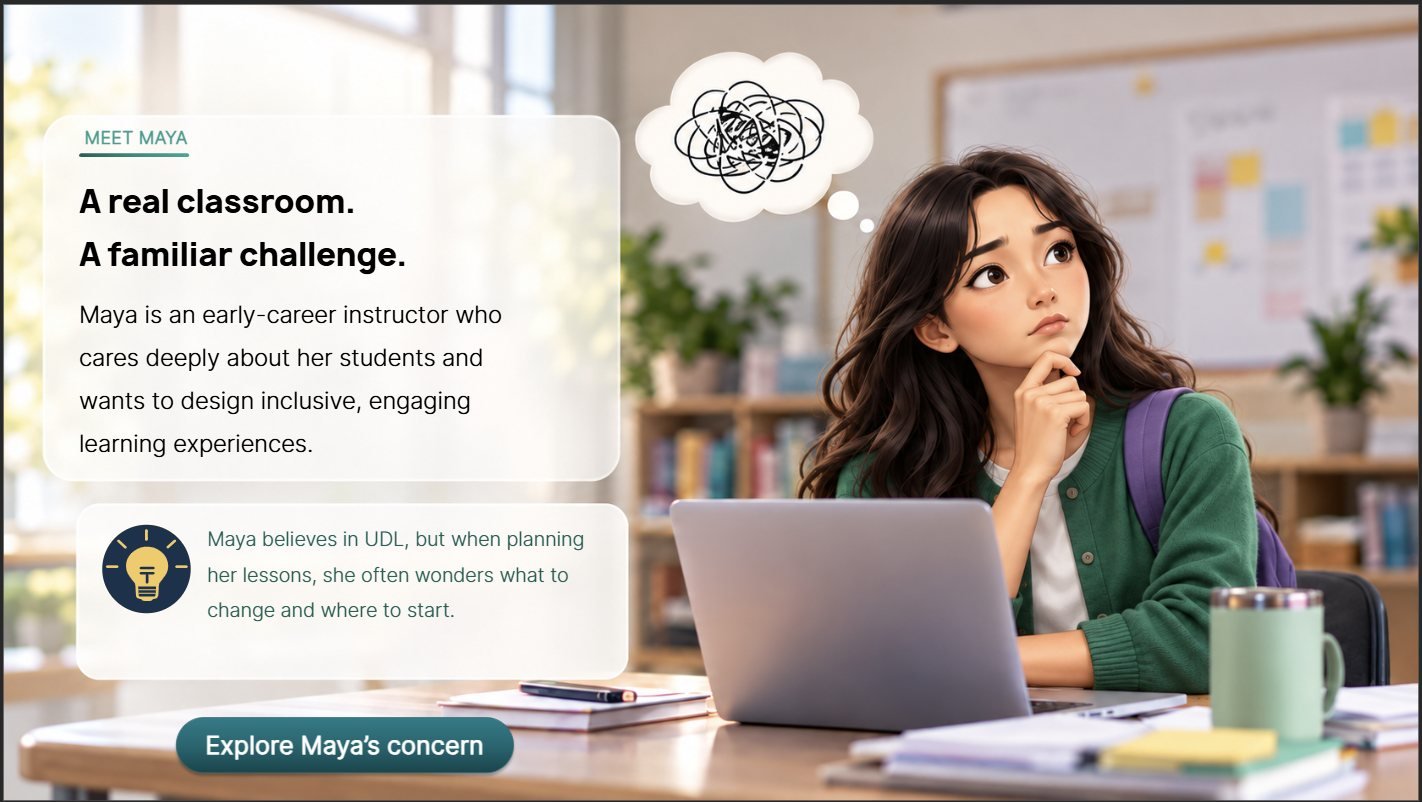
Storyline screen: Meet Maya. A real classroom, a familiar challenge.
Maya, the early-career instructor learners follow through the Storyline course, carries the challenge as a story rather than a definition.

03 · Design thinking & decisions

From evidence to a defensible decision

The Storyline course and the workshop are built around one reasoning path, so learners practise the decision itself rather than the vocabulary. Step through it to see where each stage lives in the course.

Step {{ step.num }} · {{ step.tool }}

{{ step.question }}

{{ step.learner }}

Design decision

{{ step.why }}

{{ s.alt }}

Key decisions, through my approach

Grouped by the three stages I use on every project.

  1. {{ g.num }}

    {{ g.name }}

    {{ d.title }}

    {{ d.body }}

From the IDD · Instructional strategy

Guidance fades as competence grows

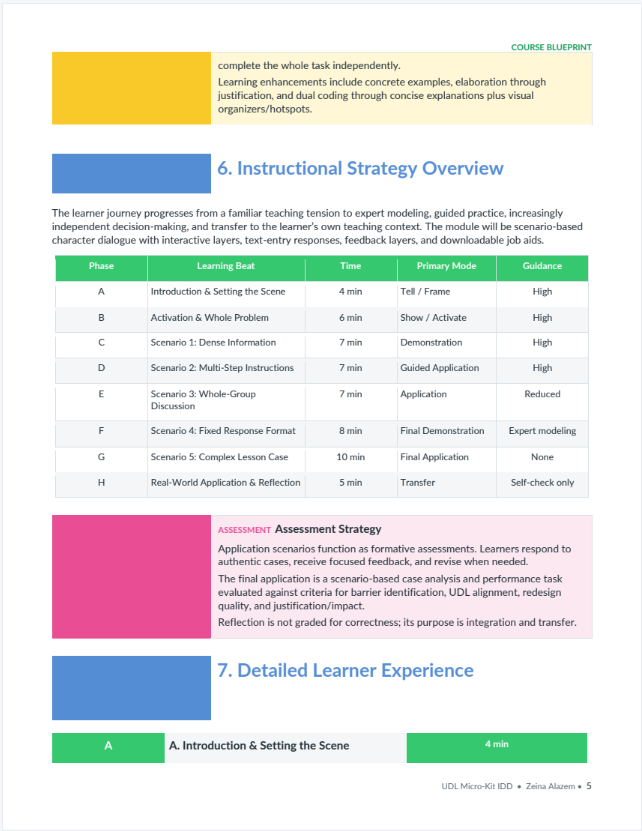
Eight learning beats move from high guidance through reduced support and a final expert demonstration to an unguided final case, then transfer with self-check. Bar width is time; height and colour show the guidance level listed in the IDD.

≈ 54 min total
  • High guidance
  • Reduced guidance
  • Expert modeling (demonstration before the final case)
  • No guidance
  • Self-check only
{{ b.id }}
  1. {{ b.id }}{{ b.name }}{{ b.guide }}{{ b.time }}′

Feedback that teaches

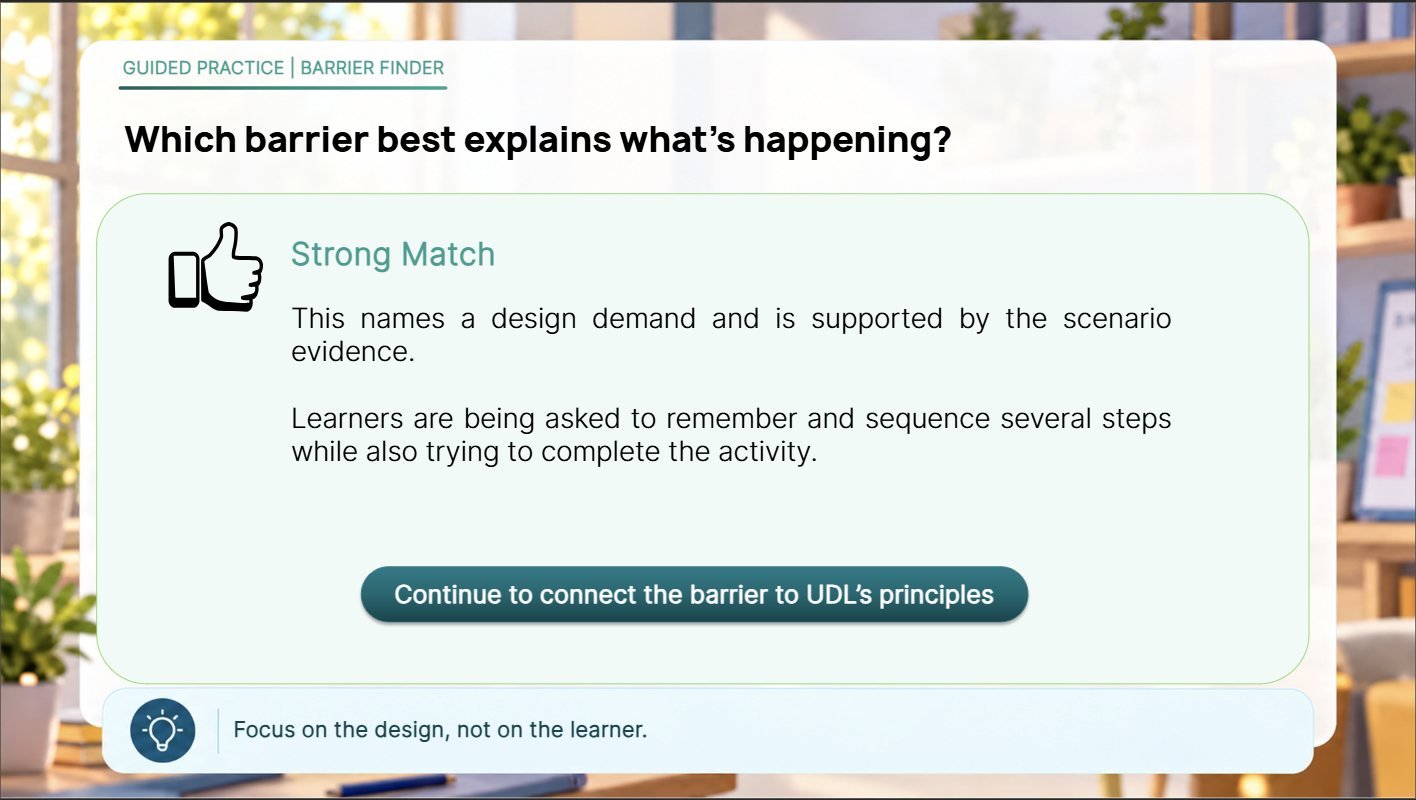
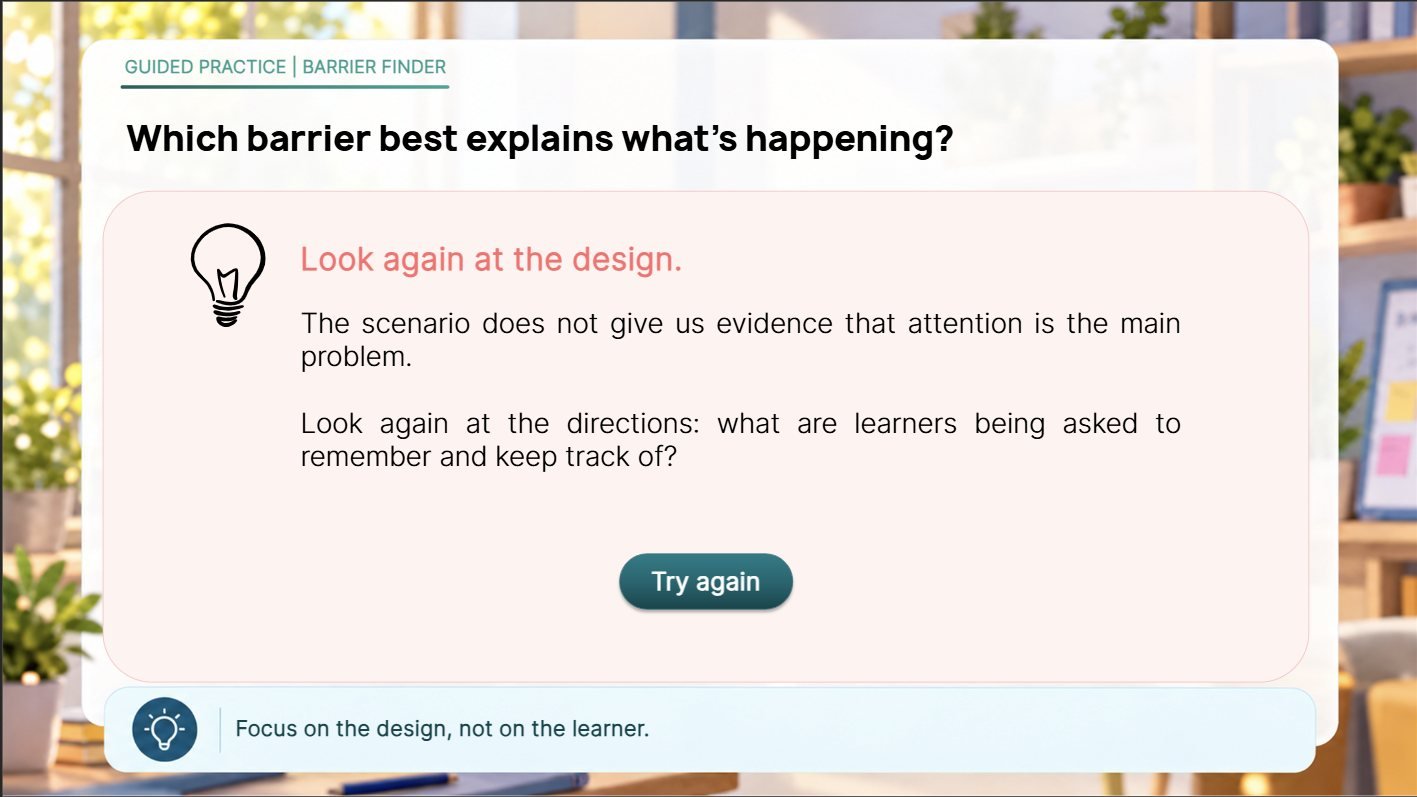
A strong choice is explained against the scenario evidence. A weaker one gets a redirecting question and a retry, keeping attention on the design rather than the learner.

Feedback layer: Strong Match. This names a design demand and is supported by the scenario evidence.
Strong match → continue
Feedback layer: Look again at the design, with a Try again button
Look again → try again

04 · Learning experiences

Two experiences, one subject

Both share an audience and a design philosophy. They were built as separate experiences on different platforms, each with its own strengths.

Experience A · Articulate Storyline 360

UDL: Beautiful in Theory. Possible in Practice.

A self-paced, scenario-based course where learners follow Maya and Dr. Salih through real lesson moments, make decisions, get feedback, and finish with an independent redesign of a complex case.

Launch course ↗ 45–60 min · opens in a new tab Link pending
{{ s.alt }}

{{ slCount }} · {{ slLabel }}

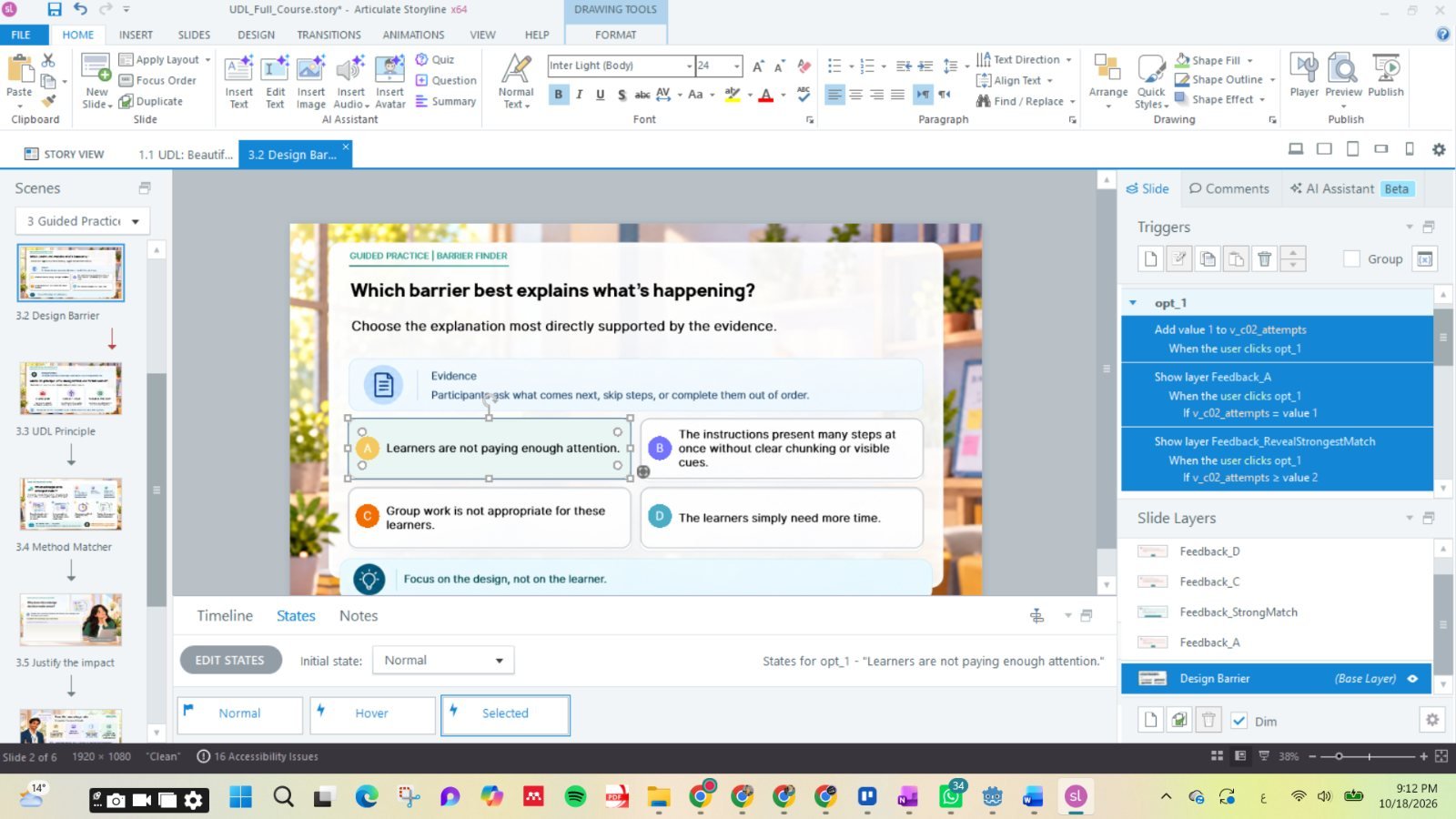
Storyline authoring view: the Design Barrier slide with triggers that add to v_c02_attempts and show feedback layers conditionally, plus Normal, Hover and Selected states
  • VariablesAn attempts counter decides whether to show a redirect or reveal the strongest match.
  • LayersOne feedback layer per choice, so each answer gets its own explanation.
  • StatesNormal, hover and selected states on every option.
  • StructureScenes for Start Here, Diagnose the Lesson, Guided Practice and the Final Challenge.
Scenarios
Realistic lesson moments with recurring characters
Practice
Decisions with tailored feedback and retry
Assessment
Final case, exemplar and rubric self-check
Transfer
Downloadable job aids in the Resources tab
Experience B · We Are Learning

We Are Learning UDL Micro-Kit

A narrative-driven module led by avatar characters. It introduces UDL through approachable explanations and common misconceptions, then moves into a realistic instructor scenario and a small redesign challenge focused on one useful, manageable change.

  • RepresentationLearners choose to read, listen to, or watch the UDL overview
  • ExpressionPrompts accept a written or recorded answer
  • EngagementDialogue voices the instructor’s real worries first
Explore module ↗ 45–60 min Link pending
{{ s.alt }}

{{ waCount }} · {{ waCaption }}

05 · Supporting design assets

The documents behind the experiences

Instructor-led training package

Designing with UDL: From Barrier to Design Response

A 90-minute instructor-led workshop designed for early-career higher education instructors. The experience uses realistic scenarios, guided practice, collaborative problem-solving, and real-world application to help instructors make practical UDL-informed design decisions.

  • 90 min · 20 slides
  • Slide deck
  • Facilitator guide
  • Participant guide

Session at a glance

{{ s.min }}′
  1. {{ s.name }}{{ s.focus }}

{{ ilt.desc }}

{{ p.alt }}

{{ ilt.label }} · {{ iltPageCount }} pages shown

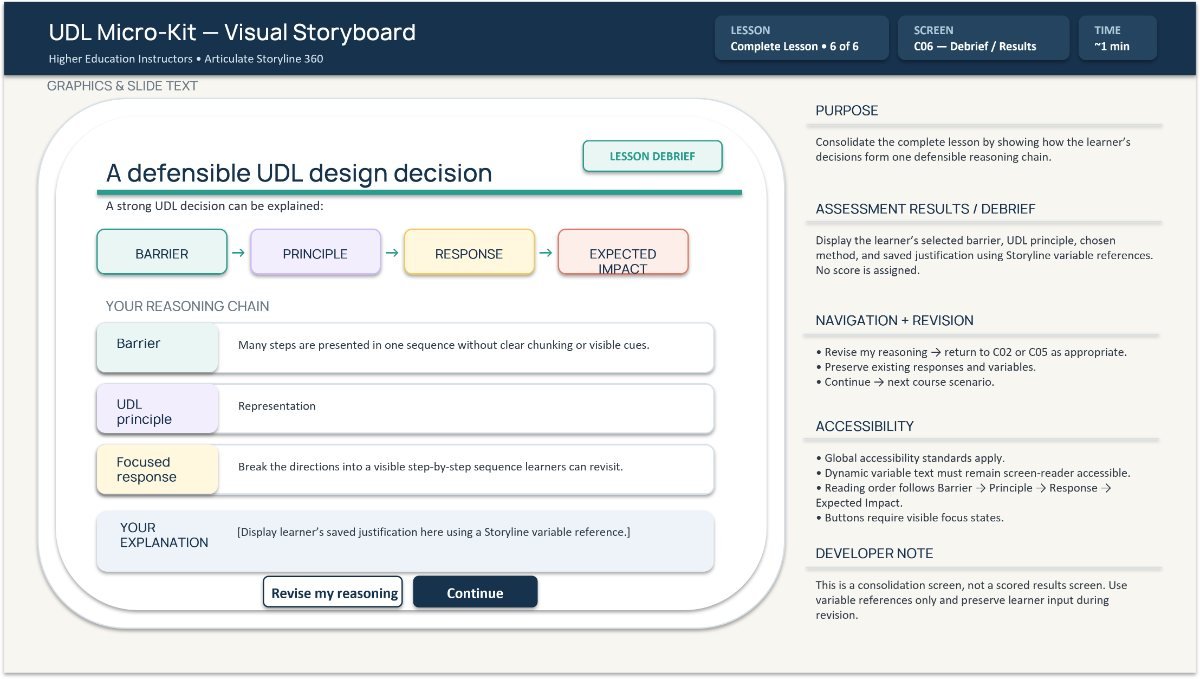
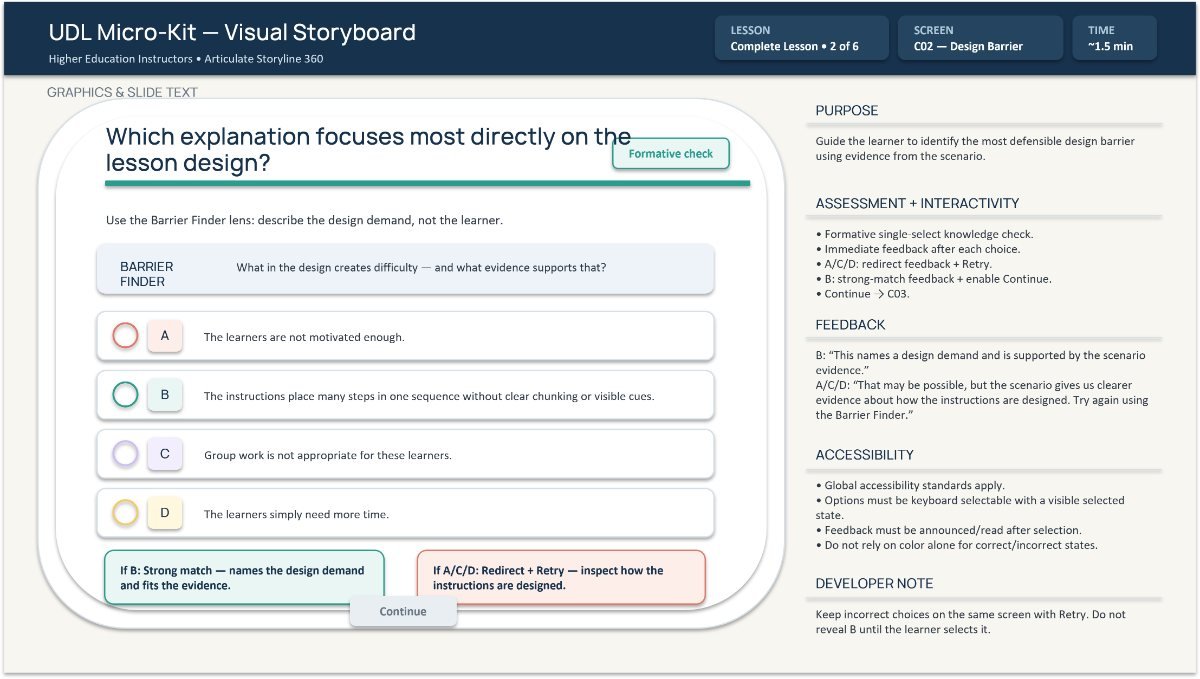
Storyboard screen C02, Design Barrier Storyboard screen C04, Method Matcher Storyboard screen A02, Meet Maya: The Tension, with purpose, accessibility, narration and developer notes
Storyboard

UDL Micro-Kit — Visual Storyboard

The Storyline flow at screen level: learner-facing content, interactions, feedback, accessibility requirements, narration, and developer notes, plus a style guide for colour, type, buttons and characters.

View sample ↗Link pending
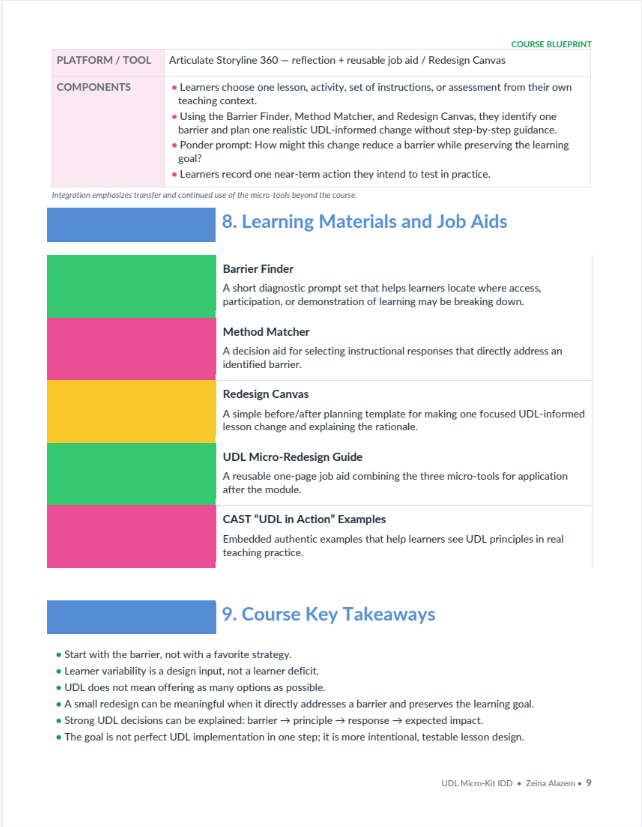
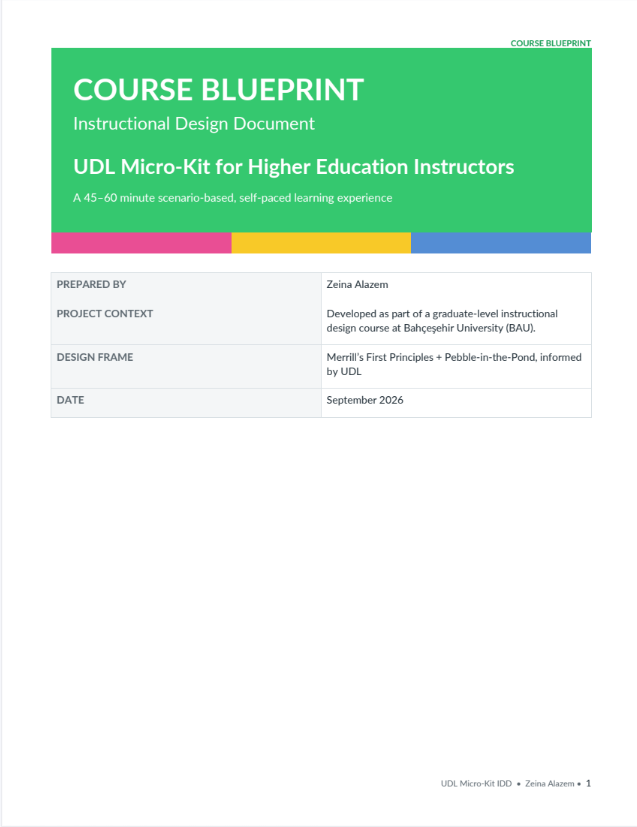
IDD page 5: Instructional Strategy Overview table IDD page 9: Learning Materials and Job Aids IDD cover: Course Blueprint, UDL Micro-Kit for Higher Education Instructors
Instructional Design Document

Course Blueprint

The learning problem, audience, objectives, design rationale, instructional sequence, assessment strategy with rubric, job aids, and intended transfer.

View sample ↗Link pending

06 · Results & reflection

Projected outcomes

What the design is built to change

These are projected outcomes the design is built to support. Formal learner evaluation has not yet been conducted, so no measured results are reported.

  1. {{ o.num }}{{ o.text }}
How learners check their work

The final application is a scenario-based case analysis. Learners compare their response with an exemplar and self-assess using an analytic rubric with four criteria. Open responses are not automatically scored, and reflection is not graded for correctness.

  • Barrier identification
  • UDL alignment
  • Redesign quality
  • Justification & impact
Reflection

This project reminded me that instructors need practical support, not just more information. If I were to revisit the design, I would make more room for their own experiences and test what truly helps them feel ready to make changes in their teaching.

“Start with the barrier, not with a favorite strategy.”Course key takeaway · IDD
Back to Selected work →

Hiring a learning designer?

I’d be glad to talk about your team, your learners, and the challenge you’re designing for.